F.01
Clips itself
Reads the killfeed and HUD with on-device text recognition, and the official events in CS2, Dota 2, League and Rocket League. Moments close together become one clip.
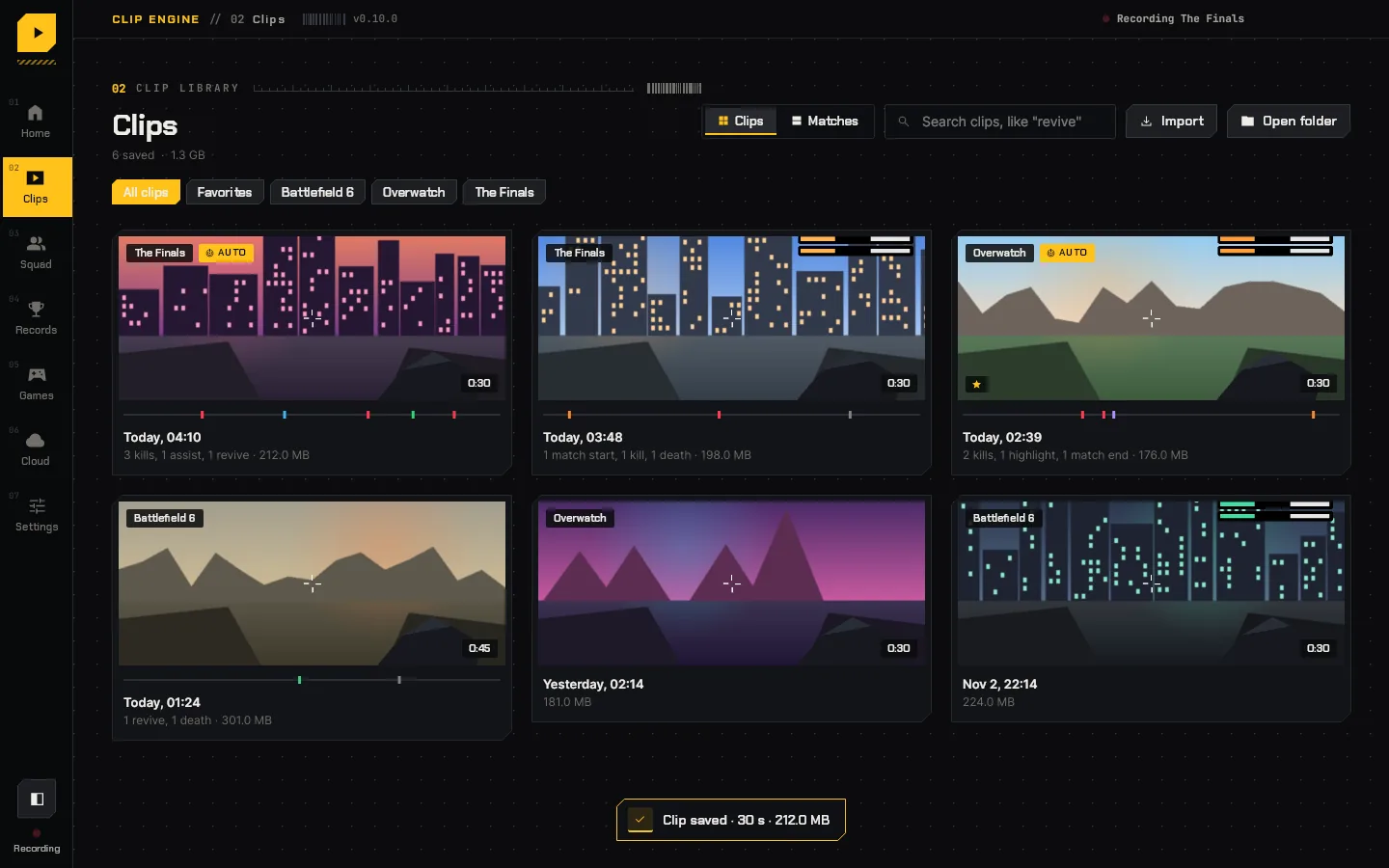
Clip Engine watches your game and saves a clip around every kill, assist, death, revive and match end, at your monitor's refresh rate, up to 1080p for free and 4K with Pro. No ads, nothing stamped on the clips on your PC, no dependencies.
Version 0.13.0 · 40 MB · free, no account needed · 0 downloads
New to Clip Engine? How to set it up

Clip_Engine-Setup.exe. It installs for your Windows account only, so it needs no admin rights.No installing wanted? Get the portable zip, unzip it anywhere and run ClipEngine.exe.
Recording runs on your GPU's video hardware and the app stays flat and light, so your frame rate is the game's.
Reads the killfeed and HUD with on-device text recognition, and the official events in CS2, Dota 2, League and Rocket League. Moments close together become one clip.
Records at your monitor's refresh rate and the resolution you pick, up to 1080p on Free and 4K on Pro and Ultra, encoded on your GPU (NVIDIA, AMD or Intel) with H.264 or HEVC.
Uses Windows screen capture. Nothing is injected into the game, so there is nothing for anti-cheat to flag.
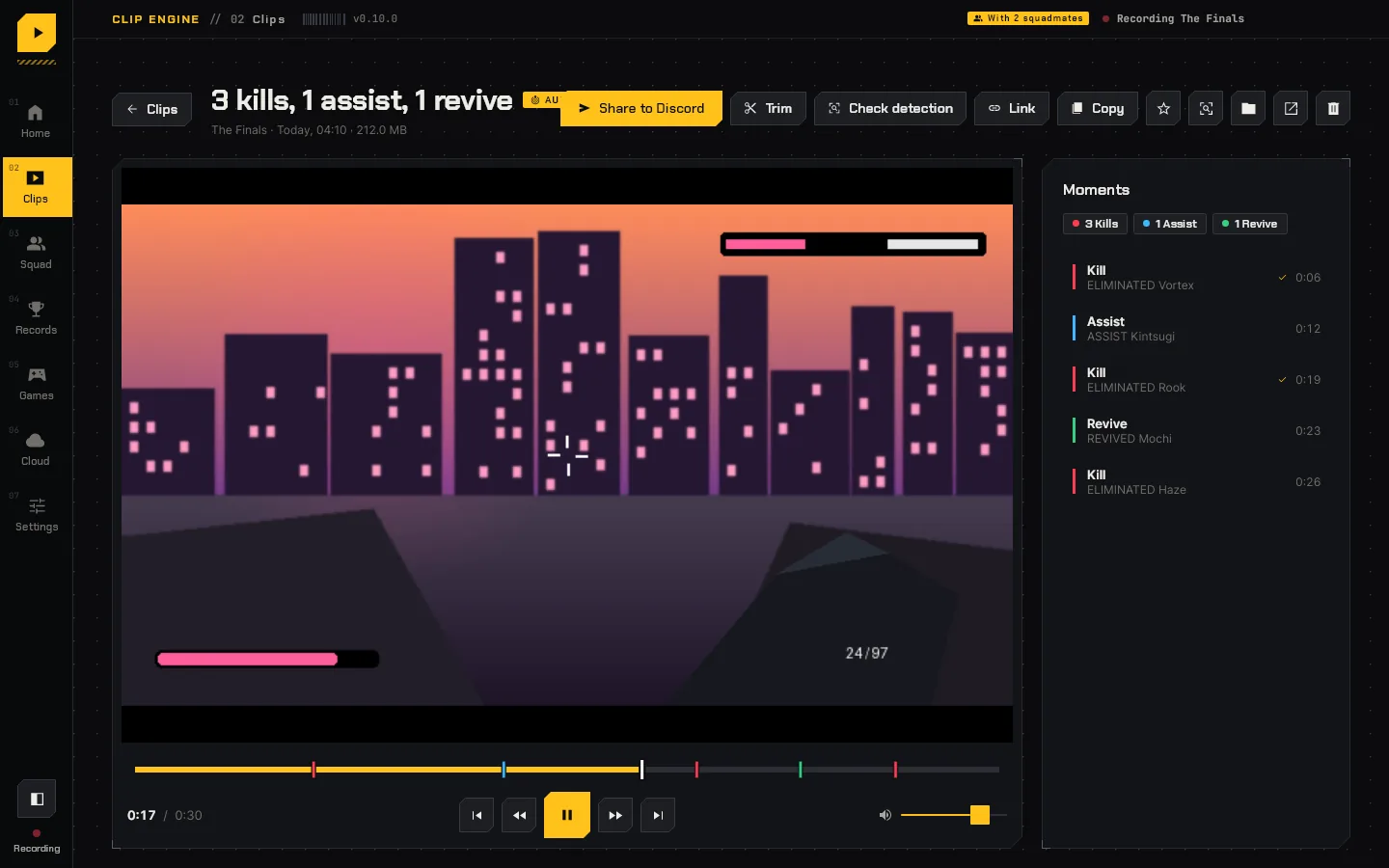
Every kill and revive is marked in the player. Click one to jump to it, trim around it, or see why it was counted.
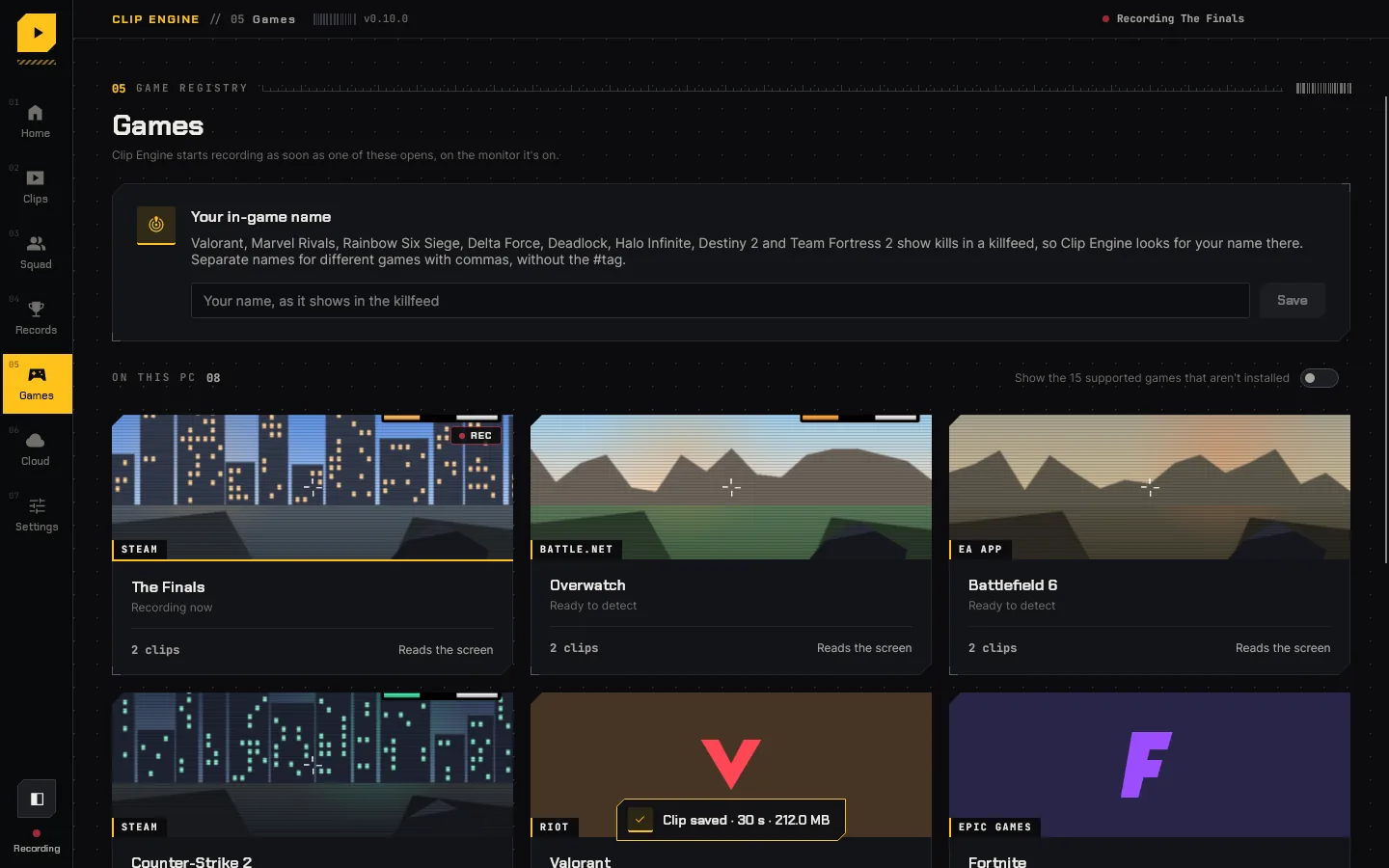
A copy under 10, 50 or 500 MB on your clipboard for Discord, or a short link that plays in any browser with every moment marked.
Kills, K/D, streaks and personal bests from every match, read from games' own scoreboards where they have one. In ARC Raiders, Tarkov, Hunt and co-op games, a journal of every run: the map, what you took down, what you found and what you lost.
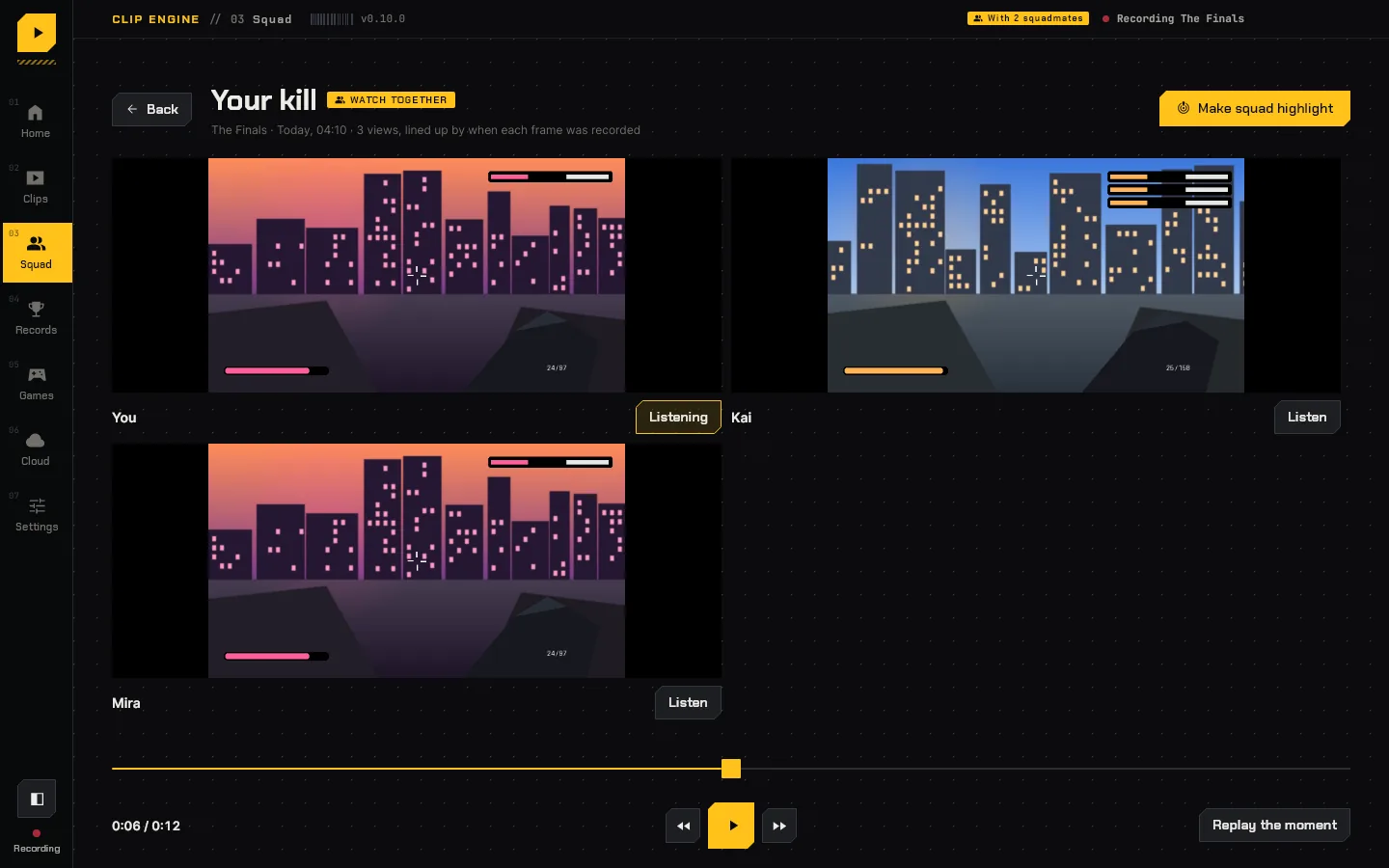
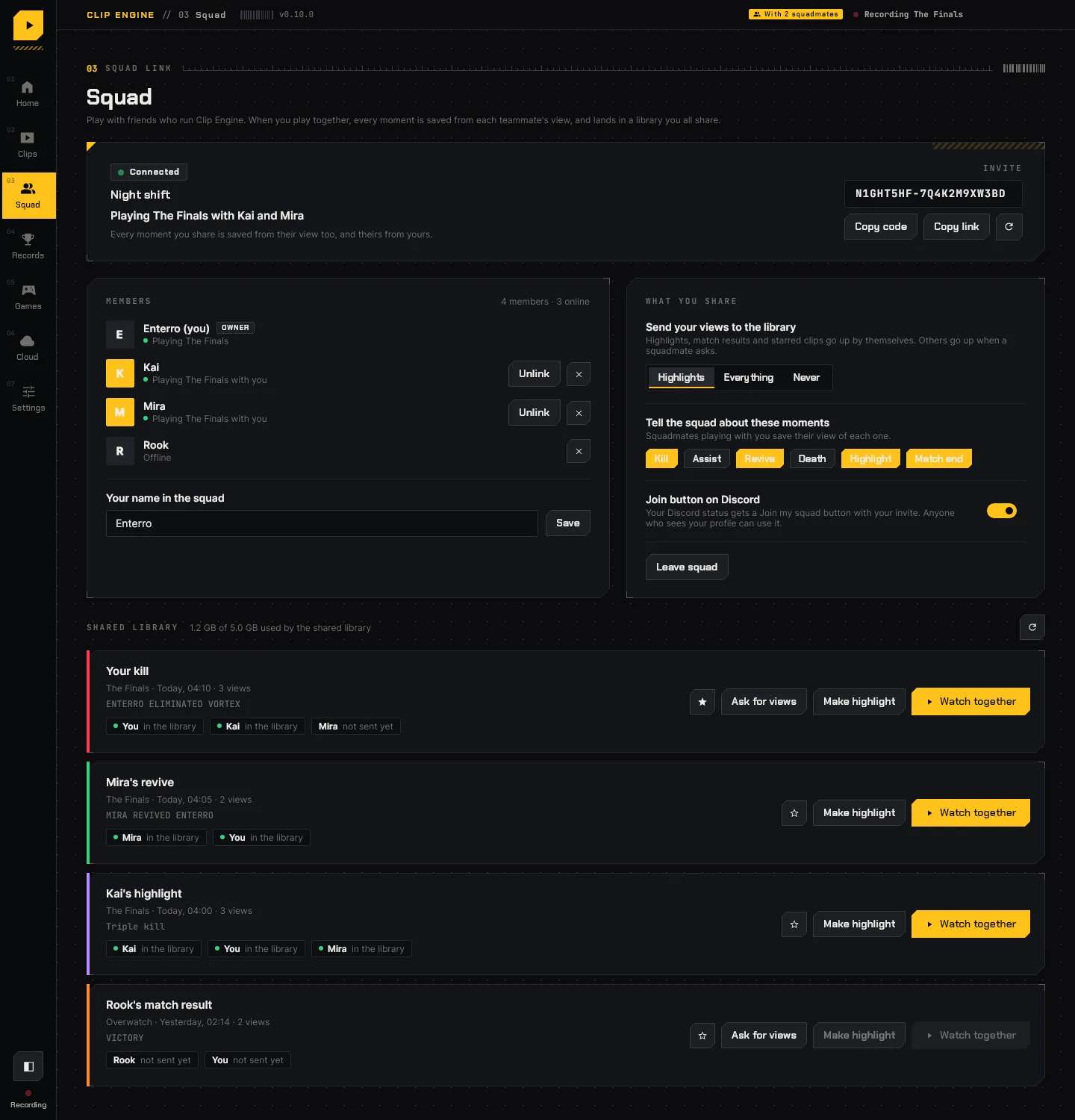
Make a squad and send friends an invite link. When you play the same match, Clip Engine links you up by itself.
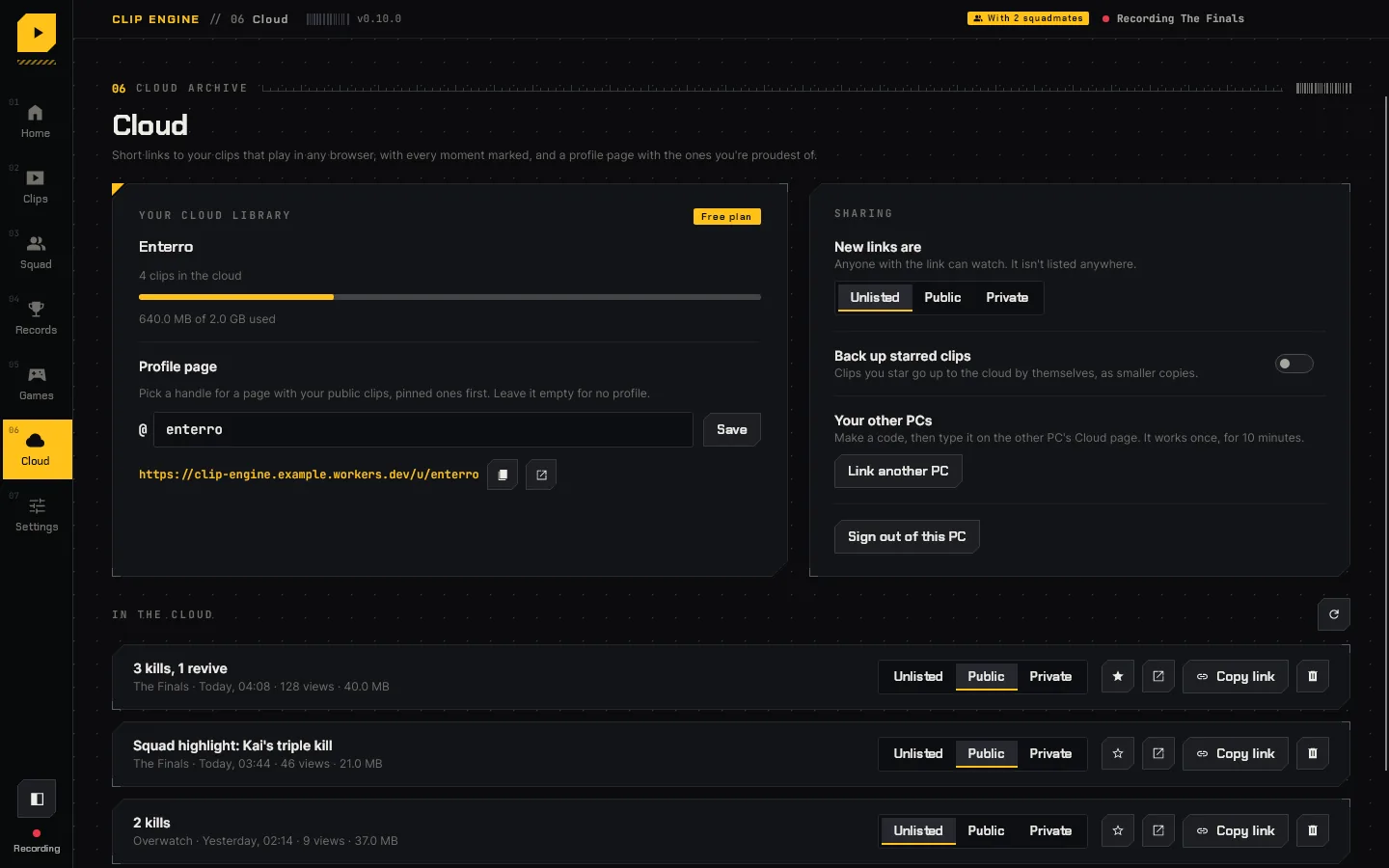
Clip Engine finds the games installed on your PC, through Steam, Epic, Battle.net, the EA app, Ubisoft Connect, Riot, the Xbox app and Roblox, and starts recording on the monitor the game is on.
The short version, next to Medal, Outplayed and the recorders that come with Windows, your graphics driver and Steam.
Scroll the table sideways to see every app.
| Feature | Clip Engine | Medal | Outplayed | Xbox Game Bar | NVIDIA App | AMD Software | Steam |
|---|---|---|---|---|---|---|---|
| Clips kills, deaths and wins by itself | 25 games, plus any you add | 16 games | Games Overwolf supports | No | Games with NVIDIA Highlights | No | Marks only, in some games |
| Teammates' views of your moments, saved for you | Yes | No | No | No | No | No | No |
| Share link that plays in a browser | Yes | Yes | Yes, for 3 months free | No | No | No | Yes, for 2 days |
| Ads, or marks on your videos | None | Both, unless you have Premium | Ads, unless you have Premium | None | None | None | None |
| Records on | Any NVIDIA, AMD or Intel GPU | Any PC | Any PC, with Overwolf | Any PC | NVIDIA GPUs only | AMD GPUs only | Steam games |
| Free recording up to | 1080p (4K with Pro) | 4K | 4K | 60 fps | 8K | 4K | 60 fps |
17 features, where each app leads, and the pages we checked, in November 2026.
Every recording, detection, squad and sharing feature is free, at up to 1080p. A subscription records and exports in 4K, keeps 4K, bigger and longer clips in the cloud without the free badge, adds more cloud storage and a few thank-yous, and keeps Clip Engine growing. Cancel any time; your clips stay yours.
Use your own email at checkout. Polar sends your license key to the email you enter when you pay. Type it carefully: if it's an address you can't open, the key never reaches you and the plan can't be turned on in the app.
$0
$4.99/month
or $49 a year
$14.99/month
or $149 a year
Any amountonce
Donations keep Clip Engine developed and maintained. They're never needed: every recording feature stays free. As a thank-you:
Donations open soon.
Payments, sales tax and VAT are handled by Polar, our merchant of record. Your license key arrives by email; paste it in Settings > Plan. A donation's key works the same way, and if you also subscribe with the same email, its thank-yous join your plan on their own. Your email, payment details and receipts stay with Polar and are kept private: Clip Engine never sees your card and doesn't keep your email.
Capture and encoding run on your GPU's dedicated video hardware, and screen reading only looks at frames that are already finished. Most players won't notice it running.
Clip Engine never touches the game's memory or files. It records the screen the same way Windows' own tools do.
Early builds aren't code-signed yet. Choose More info → Run anyway. Signed builds are coming before the full launch.
The installer is the easy way: a Start menu entry, an uninstaller in Apps & features, and no admin prompt. The zip is the same app for people who'd rather not install anything: unzip it anywhere, keep the files together, and delete the folder to remove it. Either one updates itself from Settings, and your clips and settings are kept if you uninstall.
Yes. Recording, automatic clips, the player, squads, friends and sharing are free for everyone, at up to 1080p, and nothing is ever stamped on the clips on your PC. The free cloud library has 2 GB and takes clips up to 1080p, 100 MB and 40 seconds, with a small Made with Clip Engine badge in the corner. Pro ($4.99 a month or $49 a year) records and exports in 4K and keeps 4K clips of up to 2 GB and 10 minutes in a 50 GB cloud library with no badge, and Ultra ($14.99 a month or $149 a year) clips of up to 4 GB and 30 minutes in 300 GB.
Yes. Settings > Resolution goes from 480p up to the most your plan records. Clip Engine never records bigger than your monitor.
Only if you choose. Clips stay on your PC until you upload or share one. A shared clip is unlisted (only people with its link can watch) unless you set it to Public, which puts it on your profile and in the hub. Anyone can watch the hub without an account; to manage your own clips there, sign in with your Clip Engine account or a code from the app's Cloud page.
Automatic clips work in 25 games today: Counter-Strike 2, Dota 2, League of Legends and Rocket League through their official game events, Team Fortress 2 through its console log, and Valorant, Fortnite, Apex Legends, PUBG, Marvel Rivals, Rainbow Six Siege, Call of Duty, Delta Force, The Finals, Overwatch, Battlefield 6, 2042, V, 1 and 4, Deadlock, Halo Infinite, Halo: The Master Chief Collection, Paladins and Splitgate by reading the screen. Roblox and Minecraft are recorded too. The F8 replay hotkey works in any game, and Detection Studio in the app adds any game you like.